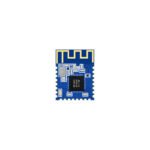

Managing a single Bluetooth Beacon is trivial. Managing 500 across 30 retail locations is engineering. Each beacon runs on a coin cell, has no network interface, and can only communicate one direction most of the time. When a beacon dies, goes silent, or drifts off frequency, nobody notices until a customer-facing feature stops working. This article covers the practical engineering of beacon fleet management: how to remotely configure devices that have no return channel, how to push firmware updates to 500 devices without bricking them, how to monitor battery life from scan data alone, and how to build the telemetry pipeline that ties it all together.
1. The Fleet Management Problem
A beacon fleet is fundamentally different from a WiFi or cellular device fleet. The key constraint: beacons are transmit-only by default. They broadcast advertising packets and go back to sleep. There is no TCP connection, no MQTT broker, no heartbeat. The only way to know a beacon is alive is to scan for it.
1.1 What Can Go Wrong at Scale
| Failure Mode | Detection Time (No Monitoring) | Detection Time (With Monitoring) | Impact |
|---|---|---|---|
| Battery depletion | Days to weeks | < 1 hour | Beacon goes silent, feature breaks |
| Firmware hang (watchdog failure) | Never (until battery dies) | < 15 min | Silent failure, no advertising |
| Frequency drift (crystal aging) | Never | Hours (via RSSI/scan analysis) | Missed connections, range reduction |
| Physical displacement (moved/stolen) | Days | < 30 min | Wrong location data, security risk |
| Configuration corruption | Never | < 1 hour | Wrong advertising payload |
| RF interference (new source) | Days | < 15 min | Reduced range, missed packets |
At 500 beacons with a 2-year battery life, you lose approximately 0.27 beacons per day to battery depletion alone. Without monitoring, you accumulate silent failures until a critical mass of dead beacons breaks the customer experience.
1.2 The Three-Layer Monitoring Stack
Layer 3: Cloud Dashboard (fleet status, alerts, analytics)
|
Layer 2: Gateway/Scanner Network (BLE scan, data forwarding)
|
Layer 1: Beacon Fleet (advertising, telemetry-in-payload)
Layer 1 is the beacons themselves. Layer 2 is a network of BLE scanners (typically Raspberry Pi or dedicated gateway hardware) distributed across the deployment site. Layer 3 is the cloud platform that aggregates scan data, runs analytics, and triggers alerts.
2. Remote Configuration Architecture
2.1 The Return Channel Problem
Beacons cannot receive commands while in advertising-only mode. To push configuration changes, you need one of three approaches:
| Approach | Mechanism | Latency | Complexity | Reliability |
|---|---|---|---|---|
| GATT Connection | Scanner connects to beacon, writes config characteristic | Seconds | Medium | High (bidirectional) |
| Encrypted Scan Response | Config embedded in scan response, beacon parses on next scan window | Minutes | Low | Medium (one-way) |
| Manufacturer-Specific Data | Config encoded in advertising payload rotation | Minutes | Medium | Medium (one-way) |
2.2 GATT-Based Configuration (Recommended)
Most modern beacons expose a GATT configuration service. A nearby scanner connects, authenticates, and writes new parameters:
| Characteristic | UUID (common) | Access | Purpose |
|---|---|---|---|
| Advertising Interval | 0x2A04 (custom range) | Read/Write | Set broadcast frequency |
| TX Power | 0x2A07 (custom range) | Read/Write | Set transmit power |
| Battery Level | 0x2A19 | Read | Monitor battery state |
| Firmware Revision | 0x2A26 | Read | Track firmware version |
| Manufacturer Data | 0x2A3D | Read/Write | Custom payload configuration |
| Connection Interval | 0x2A04 | Read/Write | Optimize connection speed |
A typical configuration session:
1. Scanner discovers beacon by MAC/UUID
2. Scanner initiates connection (30-100ms)
3. Beacon requires authentication (AES-128 challenge-response)
4. Scanner writes new config values
5. Beacon validates and applies
6. Beacon sends confirmation
7. Scanner disconnects
Total time: 200-500ms per beacon
2.3 Configuration Payload Encoding
For efficient over-the-air configuration, pack parameters into a compact binary format:
Config Packet (24 bytes):
[0]     Config version (1 byte)
[1]     Flags: bit0=adv_interval, bit1=tx_power, bit2=payload, bit3=channel_map
[2-3]   Advertising interval (2 bytes, 100ms units, 0=unchanged)
[4]     TX power (1 byte, dBm, signed, 0=unchanged)
[5-20]  Payload data (16 bytes, 0xFF=unchanged)
[21]    Channel map (1 byte, bitmask ch37/ch38/ch39)
[22-23] CRC16 (2 bytes)
With 24 bytes per config packet, a scanner can configure approximately 2 beacons per second (including connection overhead). For 500 beacons: ~4 minutes total if all are in range.
2.4 Scheduled Configuration Windows
To minimize disruption, schedule configuration changes during low-traffic periods:
| Window | Time | Reason |
|---|---|---|
| Retail | 02:00-05:00 | Store closed, no customer impact |
| Museum | 02:00-06:00 | Closed hours |
| Warehouse | 12:30-13:00 | Lunch break, reduced forklift traffic |
| Hospital | 03:00-04:00 | Lowest patient movement |
3. OTA Firmware Update Strategies
3.1 The Brick Risk
OTA firmware updates are the highest-risk operation in fleet management. A failed update can brick a beacon permanently, requiring physical replacement. At 500 beacons, a 1% brick rate means 5 replacements — costly if they are mounted on 4-meter ceilings.
3.2 Dual-Bank OTA (Safe)
The safest approach uses dual-bank firmware storage:
Flash Layout (nRF52832, 512KB):
0x00000-0x01000  Bootloader (4KB)
0x01000-0x26000  Bank A: Active firmware (156KB)
0x26000-0x4B000  Bank B: Download buffer (156KB)
0x4B000-0x4D000  Config & calibration (8KB)
0x4D000-0x50000  Bootloader settings (12KB)
Update process:
1. Scanner connects to beacon via GATT
2. Beacon reports available flash and current firmware version
3. Scanner transfers new firmware to Bank B (chunked, 20 bytes per GATT write)
4. Beacon verifies CRC32 of downloaded image
5. Beacon swaps banks: Bank B becomes active, Bank A becomes rollback
6. Beacon reboots with new firmware
7. If new firmware fails to start (watchdog timeout), bootloader automatically rolls back to Bank A
| Parameter | Value |
|---|---|
| Firmware image size | ~140KB |
| GATT MTU | 23 bytes (20 payload) |
| Writes per OTA | 7,168 |
| Time per write | ~15ms (connection interval 15ms) |
| Total OTA time | ~107 seconds |
| Retry overhead (10%) | ~12 seconds |
| Total OTA time with retries | ~120 seconds per beacon |
3.3 Staged Rollout Strategy
Never update all beacons simultaneously. Use a staged rollout:
| Stage | Percentage | Count (500 beacons) | Wait Period | Action on Failure |
|---|---|---|---|---|
| 1 | 1% | 5 | 24 hours | Halt rollout, investigate |
| 2 | 5% | 25 | 48 hours | Halt if >1 failure |
| 3 | 20% | 100 | 48 hours | Halt if >2% failure |
| 4 | 50% | 250 | 72 hours | Halt if >2% failure |
| 5 | 100% | 500 | — | Monitor for 1 week |
3.4 OTA Time Budget for 500 Beacons
With 10 concurrent scanner connections:
Stage 1: 5 beacons / 10 scanners = 1 batch x 2 min = 2 min
Stage 2: 25 beacons / 10 scanners = 3 batches x 2 min = 6 min
Stage 3: 100 beacons / 10 scanners = 10 batches x 2 min = 20 min
Stage 4: 250 beacons / 10 scanners = 25 batches x 2 min = 50 min
Stage 5: 500 beacons / 10 scanners = 50 batches x 2 min = 100 min


Total active OTA time: ~178 min (across all stages)
Total wall-clock time (with wait periods): ~9 days
4. Battery Life Monitoring and Prediction
4.1 Reading Battery Level
Three methods to obtain battery voltage:
| Method | Accuracy | Overhead | When Available |
|---|---|---|---|
| Battery Level Service (GATT 0x2A19) | ±5% | Requires connection | During config/OTA sessions |
| ADC measurement in advertising payload | ±2% | 50uA per measurement, 2 bytes payload | Every advertisement |
| Voltage inference from RSSI | ±20% | None (passive) | From scan data only |
4.2 Battery Voltage Encoding in Payload
Embed battery voltage in the manufacturer-specific data field:
Manufacturer Data (4 bytes):
[0-1]  Company ID (0x0059 = Nordic)
[2]    Battery voltage (1 byte, units of 20mV, offset 1.6V)
Example: 0x33 = 51 decimal = 51*20mV + 1600mV = 2620mV = 2.62V
[3]    Status flags: bit0=low_battery, bit1=ota_ready, bit2=config_pending
A fresh CR2032 reads ~3.0V (0x4C = 76). End-of-life is ~2.0V (0x14 = 20). This gives 56 discrete levels across the useful range — sufficient for monitoring.
4.3 Battery Life Prediction Model
Using scan data, build a depletion curve for each beacon:
Daily voltage drop = (V_today - V_yesterday) / days_elapsed


Remaining life (days) = (V_current - V_end_of_life) / daily_voltage_drop
Example for a beacon with 1-second advertising interval:
| Day | Voltage (mV) | Daily Drop (mV) | Predicted Life (days) |
|---|---|---|---|
| 1 | 3020 | — | — |
| 30 | 2985 | 1.17 | 841 |
| 90 | 2920 | 1.18 | 783 |
| 180 | 2810 | 1.22 | 664 |
| 365 | 2540 | 1.30 | 415 |
| 500 | 2280 | 1.43 | 196 |
| 600 | 2010 | 2.70 | 4 |
Note the accelerating depletion near end-of-life due to increasing internal resistance. The prediction model should use a moving average of the last 14 days to smooth daily fluctuations (temperature, scan frequency).
4.4 Fleet-Level Battery Dashboard
| Metric | Target | Alert Threshold |
|---|---|---|
| Average fleet voltage | > 2.7V | < 2.5V |
| Beacons below 2.4V | 0 | > 2% of fleet |
| Predicted replacements (30 days) | 0 | > 5 |
| Battery replacement cost/month | < $50 | > $200 |
5. Health Check and Anomaly Detection
5.1 Heartbeat Detection
A beacon is considered alive if at least one scanner has seen it within the expected interval. Define heartbeat windows based on advertising interval:
| Advertising Interval | Heartbeat Timeout | Rationale |
|---|---|---|
| 100ms | 30 seconds | 300 missed packets = anomaly |
| 1 second | 5 minutes | 300 missed packets = anomaly |
| 10 seconds | 30 minutes | 180 missed packets = anomaly |
5.2 RSSI-Based Anomaly Detection
RSSI is a noisy signal, but sudden shifts indicate problems:
| Anomaly | RSSI Pattern | Likely Cause |
|---|---|---|
| Beacon moved | RSSI drops > 15dB suddenly on all scanners | Physical displacement |
| Scanner failure | RSSI drops on one scanner, stable on others | Scanner hardware issue |
| RF interference | RSSI variance increases > 6dB | New interference source |
| Battery low | RSSI gradually drops 3-5dB over weeks | Reduced TX power at low voltage |
| Obstruction | RSSI drops on one scanner, delayed on others | New physical barrier |
5.3 Statistical Thresholds
Use a rolling window (1 hour, 3600 samples at 1s interval) to compute:
Mean RSSI: mu = sum(RSSI_i) / N
Std Dev:   sigma = sqrt(sum((RSSI_i - mu)^2) / N)


Alert if: |RSSI_current - mu| > 3 * sigma (99.7% confidence)
For a beacon with mu = -65dBm and sigma = 4dBm, alert if RSSI jumps above -53dBm or drops below -77dBm.
5.4 Advertising Interval Monitoring
Some beacons drift their advertising interval due to crystal tolerance or firmware bugs. Detect by measuring inter-packet arrival time:
Expected: 1000ms +/- 50ms (BLE spec allows +/- 50ms jitter)
Measured: time between consecutive scans of same beacon


If measured > 1100ms or < 900ms consistently: firmware issue
If measured varies wildly (>200ms stddev): oscillator instability
6. Telemetry Data Pipeline
6.1 Data Volume Estimation
For 500 beacons at 1Hz advertising, scanned by 20 gateways:
Packets per beacon per second: 1 (3 channels, but scanner sees ~1/3)
Packets per gateway per second: 500 / 3 = 167 (approximate)
Packets per fleet per second: 167 * 20 = 3,340
Packets per day: 3,340 * 86,400 = 288,576,000


Per packet (JSON): ~200 bytes
Daily data volume: 288,576,000 * 200 = 57.7 GB raw


With deduplication (keep first per 30s window per beacon per gateway):
Unique packets: 500 * 2 * 86,400 = 86,400,000 (still large)
After dedup: 500 * 1 * 2,880 (30s windows) = 1,440,000
Deduped volume: 1,440,000 * 200 = 288 MB/day
6.2 Recommended Pipeline Architecture
Beacons
|
Gateways (BLE scan, dedup, buffer)
|
MQTT (TLS, QoS 1)
|
Message Broker (Mosquitto/EMQX)
|
Stream Processor (Kafka/Faust/Python)
|---> Time-Series DB (InfluxDB/ClickHouse)
|----> Alert Engine (Prometheus/Grafana)
|---> Object Storage (S3/MinIO, compressed archives)
6.3 Gateway Software Stack
| Component | Technology | Purpose |
|---|---|---|
| BLE Scanner | Python + bleak / C + BlueZ | Scan advertising packets |
| Dedup Filter | Custom (30s window per beacon) | Remove duplicate scans |
| Local Buffer | SQLite / Redis | Survive network outages |
| MQTT Client | paho-mqtt / Eclipse Paho | Forward to cloud |
| Health Agent | systemd watchdog | Auto-restart on failure |
6.4 Data Schema
{
"beacon_id": "AA:BB:CC:DD:EE:01",
"timestamp": "2026-08-23T01:00:00.123Z",
"rssi": -67,
"gateway_id": "gw-lobby-01",
"battery_mv": 2780,
"temperature_c": 24.5,
"adv_interval_ms": 1000,
"firmware_ver": "2.3.1",
"payload_hash": "a1b2c3d4"
}
7. Device Management Platform Comparison
| Platform | Beacon Support | OTA | Fleet Size Limit | Pricing Model | Self-Hosted |
|---|---|---|---|---|---|
| Kontakt.io Panel | Full (Kontakt beacons) | Yes | 100,000+ | Per beacon/month | No |
| Estimote Cloud | Full (Estimant beacons) | Yes | 50,000+ | Per beacon/month | No |
| RadBeacon Dashboard | Full (RadBeacon only) | Yes | 10,000+ | Free (hardware lock-in) | No |
| BeeCastle / BlueUp | Full (proprietary) | Yes | 5,000+ | Per beacon/month | No |
| Custom (Open Source) | Any beacon with GATT | Custom | Unlimited | Infrastructure cost | Yes |
7.1 Build vs Buy Decision
| Factor | Buy (Managed Platform) | Build (Custom) |
|---|---|---|
| Setup time | 1-2 days | 2-4 weeks |
| Monthly cost (500 beacons) | $250-500/month | $50-100 (cloud infra) |
| Flexibility | Limited to platform features | Full control |
| Multi-vendor support | Usually single-vendor | Any GATT beacon |
| OTA reliability | Vendor-managed | Your responsibility |
| Data ownership | Vendor-hosted | Full ownership |
For mixed-vendor fleets or custom telemetry requirements, building a custom platform is often the better long-term choice.
8. Security Considerations for Fleet Management
8.1 Configuration Authentication
All configuration writes must be authenticated. Recommended: AES-128 challenge-response:
1. Scanner sends challenge (16 random bytes)
2. Beacon computes HMAC-SHA256(challenge, shared_key), truncates to 16 bytes
3. Beacon sends response
4. Scanner verifies
5. Encrypted config session proceeds (AES-128-CCM)
8.2 Key Rotation
Rotate fleet keys annually or after any personnel change:
| Key Type | Scope | Rotation Period | Mechanism |
|---|---|---|---|
| Config auth key | Per beacon | 12 months | OTA key rotation command |
| OTA signing key | Per fleet | 6 months | Firmware update with new key |
| Gateway API key | Per gateway | 3 months | Cloud dashboard rotation |
| MQTT broker cert | Per gateway | 12 months | Certificate auto-renewal |
8.3 Rogue Beacon Detection
In a managed fleet, detect unauthorized beacons mimicking your UUID:
| Check | Method | Alert Condition |
|---|---|---|
| MAC allowlist | Compare scanned MAC to registered list | Unknown MAC broadcasting fleet UUID |
| Payload signature | HMAC in manufacturer data | Invalid signature |
| RSSI geofence | Compare RSSI to expected range | RSSI inconsistent with expected location |
| Firmware version | Read via GATT | Unknown firmware version |
9. Deployment Automation
9.1 Pre-Deployment Configuration
Before physical installation, batch-configure beacons:
Workflow:
1. Connect beacon via USB dock (10-beacon batch charger)
2. Read MAC address
3. Assign beacon ID and location from deployment plan
4. Write configuration (UUID, major, minor, interval, TX power)
5. Write authentication key
6. Verify configuration by scanning
7. Record in inventory database
8. Mark as "ready for deployment"


Time per beacon: 15-20 seconds
10-beacon batch: ~3 minutes
500 beacons: ~2.5 hours
9.2 Installation Verification
After physical installation, walk the site with a scanner app:
For each beacon:
1. Scan at expected location
2. Verify RSSI within expected range (-40 to -80 dBm)
3. Verify advertising payload correct
4. Verify battery voltage > 2.8V
5. Mark as "installed and verified"


Time per beacon: 30 seconds (walk time)
500 beacons across 30 locations: ~4-6 hours
9.3 Post-Deployment Health Check
Automated 24-hour health check after deployment:
| Check | Threshold | Action on Fail |
|---|---|---|
| All beacons seen | 100% | Investigate missing beacons |
| RSSI within expected range | 95% within +/- 10dB | Check placement |
| Battery voltage > 2.8V | 100% | Replace low batteries |
| Advertising interval correct | 100% | Reconfigure |
| No rogue beacons | 0 unknown MACs | Investigate |
10. Case Study: 500-Beacon Retail Deployment
10.1 Setup
- Beacons: 500 units, nRF52832, CR2032, 1-second advertising
- Locations: 30 retail stores (15-20 beacons each)
- Gateways: 60 units (2 per store), Raspberry Pi 4 + BLE dongle
- Use case: Proximity marketing + indoor navigation
- Monitoring: Custom platform (Python + MQTT + InfluxDB + Grafana)
10.2 Operational Metrics (Year 1)
| Metric | Value | Notes |
|---|---|---|
| Total beacons deployed | 500 | Across 30 stores |
| Beaacons replaced (battery) | 12 (2.4%) | Average 380 days to replacement |
| Beacons replaced (defect) | 3 (0.6%) | 2 firmware hangs, 1 hardware failure |
| OTA updates pushed | 2 | Minor firmware patches |
| OTA failures | 0 | Dual-bank rollback worked once |
| Average uptime | 99.6% | 4.2 beacons offline at any given time |
| Mean time to detect failure | 8 minutes | Via heartbeat monitoring |
| Mean time to repair | 2.5 days | Dispatch technician with replacement |
| Monthly monitoring cost | $85 | AWS (EC2 + RDS + S3) |
| Monthly gateway cost | $60 | Cellular backhaul (60 x $1) |
10.3 Lessons Learned
1. Gateway redundancy is critical: One gateway per store caused blind spots during gateway reboots. Two gateways with overlapping coverage eliminated this.
2. Battery prediction works: The 14-day moving average model predicted 10 of 12 battery failures within 7 days of actual failure.
3. Firmware hang is the silent killer: 2 beacons hung with watchdog disabled. Added external watchdog (hardware reset IC) in v2 hardware.
4. RSSI geofencing caught 1 theft: A beacon was moved to a different store location. RSSI pattern change triggered alert within 30 minutes.
11. Fleet Management Checklist
- [ ] Deployment plan with beacon ID, location, and configuration for each device
- [ ] Pre-deployment batch configuration workflow (USB dock + automation script)
- [ ] Gateway network with overlapping coverage (minimum 2 per location)
- [ ] MQTT broker with TLS and QoS 1
- [ ] Time-series database for scan data (InfluxDB or ClickHouse)
- [ ] Heartbeat monitoring with configurable timeout per advertising interval
- [ ] Battery voltage tracking with 14-day moving average prediction
- [ ] RSSI anomaly detection (3-sigma rolling window)
- [ ] Alert pipeline (email/SMS/Slack) with escalation rules
- [ ] GATT-based remote configuration with AES-128 authentication
- [ ] Dual-bank OTA with staged rollout (1% / 5% / 20% / 50% / 100%)
- [ OTA signing key and key rotation schedule
- [ ] Rogue beacon detection (MAC allowlist + payload signature)
- [ ] Installation verification walk-through with scanner app
- [ ] 24-hour post-deployment automated health check
- [ ] Fleet dashboard showing status, battery, and anomaly alerts
- [ ] Replacement beacon inventory (5% of fleet size)
- [ ] Technician dispatch procedure with SLA targets
- [ ] Monthly fleet health report (uptime, failures, battery trends)
- [ ] Annual key rotation and security audit
12. Summary
Beacon fleet management is a systems engineering problem, not a hardware problem. The beacons are simple; the infrastructure around them is complex. Key takeaways:
1. Scan data is your only return channel. Design your pipeline around what you can observe passively.
2. Dual-bank OTA is non-negotiable for any fleet larger than 50 beacons. The rollback safety net pays for itself the first time a firmware update fails.
3. Battery prediction from voltage trends is accurate to within 7 days if you use a 14-day moving average. Replace beacons proactively before they go silent.
4. Heartbeat monitoring with 5-minute timeout catches 95% of failures within 15 minutes.
5. Staged OTA rollout (1% to 100% over 9 days) prevents fleet-wide bricking.
6. Gateway redundancy (2 per site with overlapping coverage) eliminates blind spots during maintenance.
For organizations deploying Bluetooth Beacon infrastructure at scale, the fleet management platform is where the real engineering happens. The Beacons are commodities; the monitoring, configuration, and OTA pipeline are the differentiators between a deployment that runs itself and one that requires constant manual intervention.